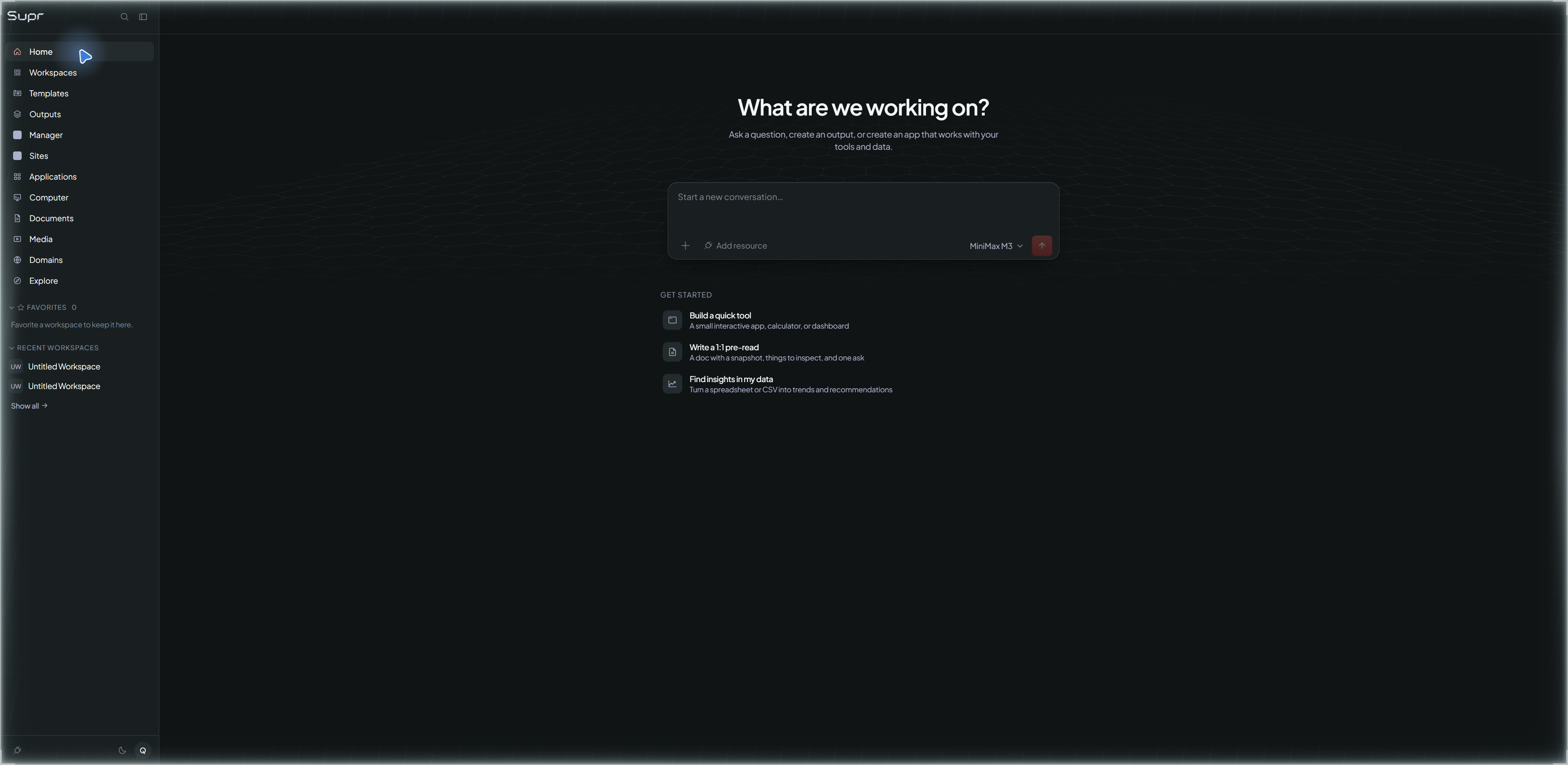
Plan the task, work with AI, review the result, and keep the next step in view. Supr brings your projects, content, and communication into one connected workspace.
SuprOS in private stagingA captured Home screen showing navigation and an idle composer. Available capabilities are confirmed for each organization.
Example briefPrepare the next launch
SuprOSPlan the work
Bring the audience, goal, and source material together. Ask for a content plan and drafts to review.
Illustrative workflowDrafts for review
Example next steps
Review, then choose what happens next
SuprCMS: review the site revision before publication.
SuprInbox: review the reply before sending.
SuprOS: keep the saved result and next assignment together.
Three connected products
A workspace, a publishing desk, and an inbox.
Start with the task. Move into the right area when you need to write, publish, or respond. Available capabilities are confirmed for each organization during the private rollout.
SuprOS
Give the work a home.
Bring a task, its context, and the people or workers involved into one workspace. Keep the plan, approvals, saved output, and next steps close enough to pick up where you left off.
Your workspace for projects, Knowledge, Documents, Applications, Computer work, and Media.
SuprCMS
Take content from draft to reviewed revision.
Use the connected Publishing area to prepare site content, review changes, and decide what should go public. Keep the approved revision tied to the work that produced it.
Publishing access and available actions depend on your organization's rollout.
SuprInbox
Keep communication connected to the work.
Bring organization mail into the workspace, keep the relevant context nearby, and prepare replies for review. A draft is something to inspect before you choose to send it.
Mailbox connections and sending access are confirmed during the private rollout.
Connected workflow
From a brief to the next useful action.
This is an example workflow, not a report of work already executed.
Start in SuprOS.Describe the goal, add the relevant context, and choose the work to prepare.
Review the result.Inspect the draft, sources, and open decisions before approving the next step.
Prepare a revision in SuprCMS.Review the exact content you intend to publish when publishing is enabled for your organization.
Prepare a reply in SuprInbox.Keep the message and its context together. Sending is a separate action to review.
Return to the workspace.Continue from the saved output and actual work, approval, and usage state.
Work you can bring
Start with one useful job.
A content update, a project review, or a customer reply gives the workspace a clear goal. These illustrations show example settings, not actual customer activity.
Prepare a launch
Collect the brief, prepare the content, and review what is ready to share.
Review a project
Turn project notes and open questions into a focused plan and reviewable output.
Follow up on the work
Keep a reply, a revision, and the next assignment connected to the same goal.
Supr is in a closed rollout. Request access through Support so we can discuss your work and confirm what is available. A request does not create an account or enable a capability.
Closed production rollout
Access is limited to invited organizations. Public signup is disabled; new organizations request access through Support.
Private staging
Connected publishing and inbox workflows are being reviewed in private staging. A staging screen does not mean a capability is enabled for every customer.
Planned activation
Some features and provider connections await activation. We confirm the capabilities available to your organization before access is granted.
Your next step
Bring the work you want to make easier.
Tell us whether you need a workspace, publishing, communication, or a connected workflow. We will discuss fit and availability through the existing support route.